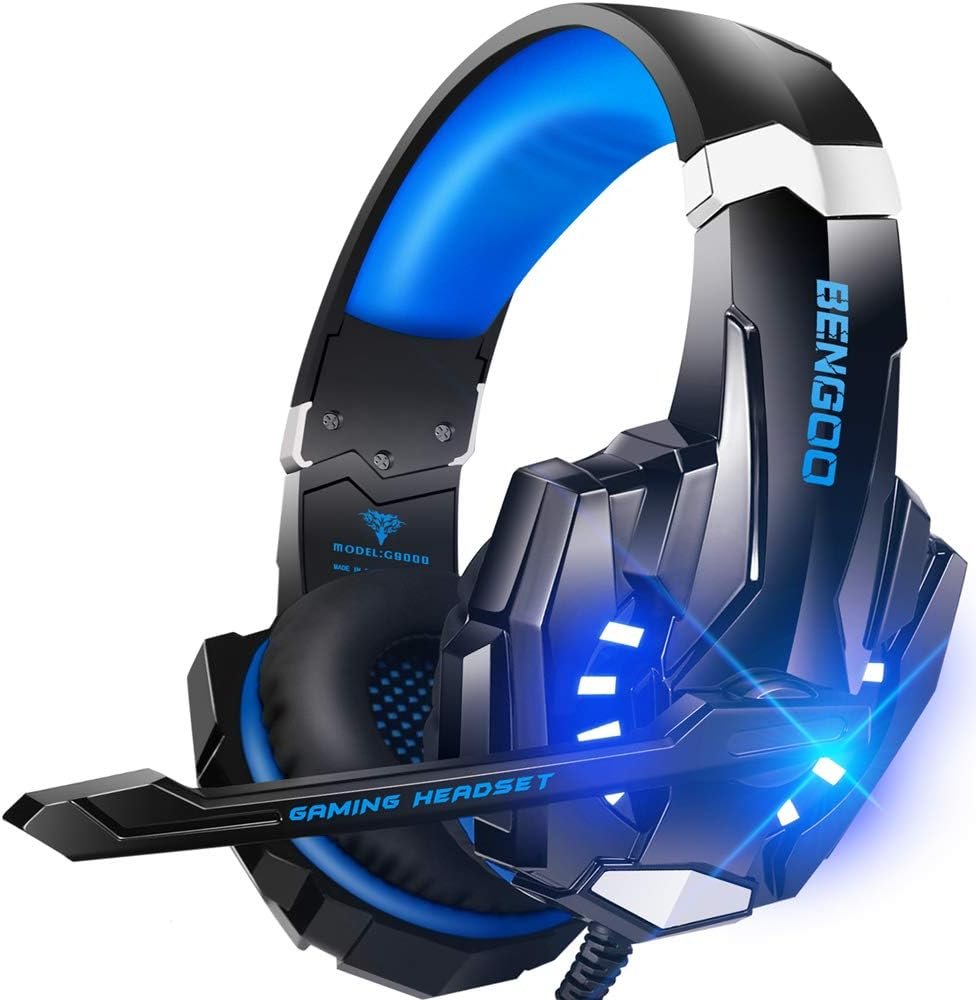
BENGOO G9000 is a wired gaming headset for buyers who want a 3.5 mm audio connection, a boom microphone and blue LED accents without moving to a wireless setup. The photos show a blue-and-black version with an inline control unit and a separate USB plug for lighting. This guide separates those visible details from claims that would need listening or microphone tests.
On this page
This is a buying guide based on the product listing and uploaded promotional images, not a hands-on review. Check the current seller listing and your device before ordering.
Quick Verdict
The BENGOO G9000 looks most practical when you have a usable 3.5 mm headset jack, want a wired boom mic and do not mind an additional USB connection if you want the lights on. Its promotional images also show inline volume and mute controls. They do not establish measured audio quality, effective microphone noise rejection or all-day comfort.
Best suited for
A console or PC player seeking a straightforward wired headset who is willing to verify the exact connection, included accessories and return terms before buying.
Pros to consider
- 3.5 mm audio plug can suit many controllers and computers with a compatible headset jack.
- Inline volume and microphone-mute controls are shown in the seller image.
- Adjustable boom microphone, padded cups and headband are visible in the uploaded images.
Limitations to consider
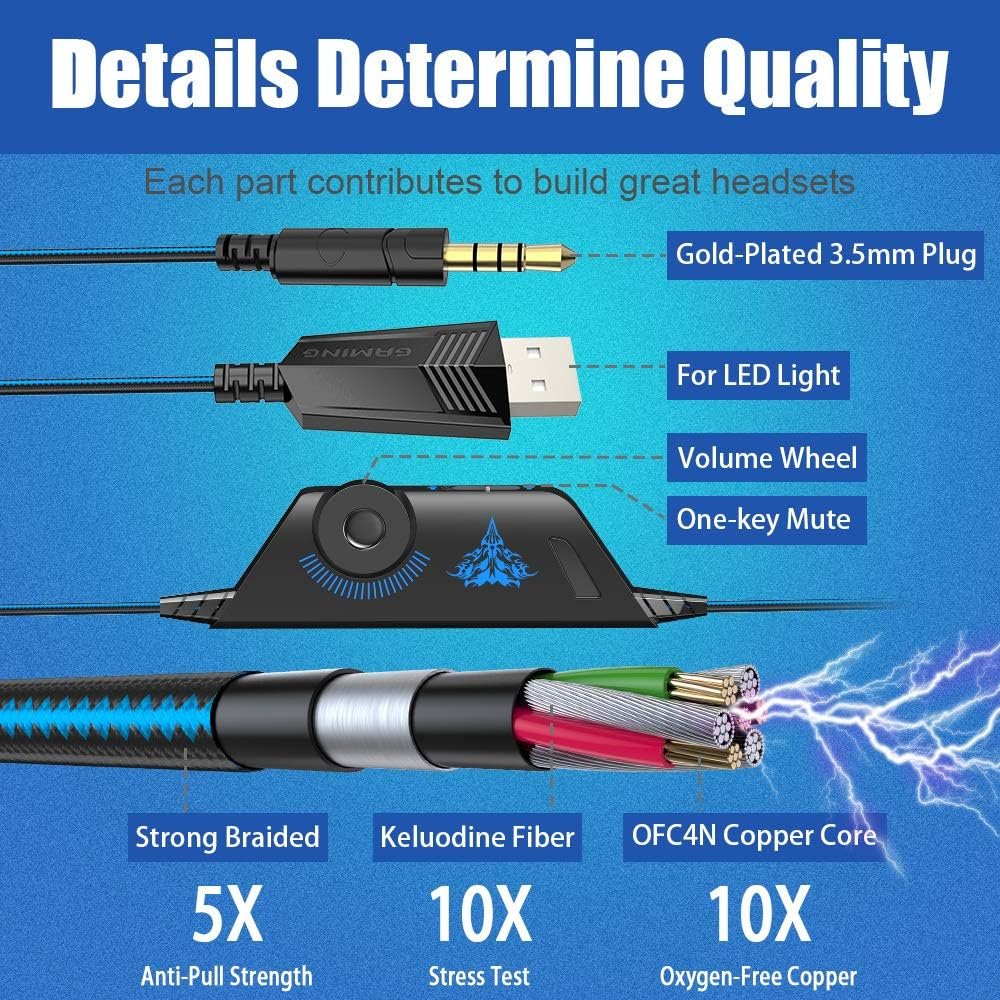
- The headset is wired, and the pictured USB connector is for lighting rather than wireless audio.
- Surround-sound and noise-isolation claims are marketing descriptions, not performance measurements.
- Some devices may need a separate splitter or adapter; the seller’s diagram says an Xbox One adapter is not included.
Will it connect to your setup?
BENGOO G9000 uses a 3.5 mm plug for headset audio. That is useful only if your controller, console, phone or computer accepts the required headset connection. A desktop with separate headphone and microphone sockets may need a splitter; do not assume one is included. The compatibility image lists several platforms, but platform names alone do not guarantee that chat and audio will both work on every hardware revision. PlayStation’s PS5 audio-settings guide explains where to choose a headset as the output device; it does not certify this specific model.
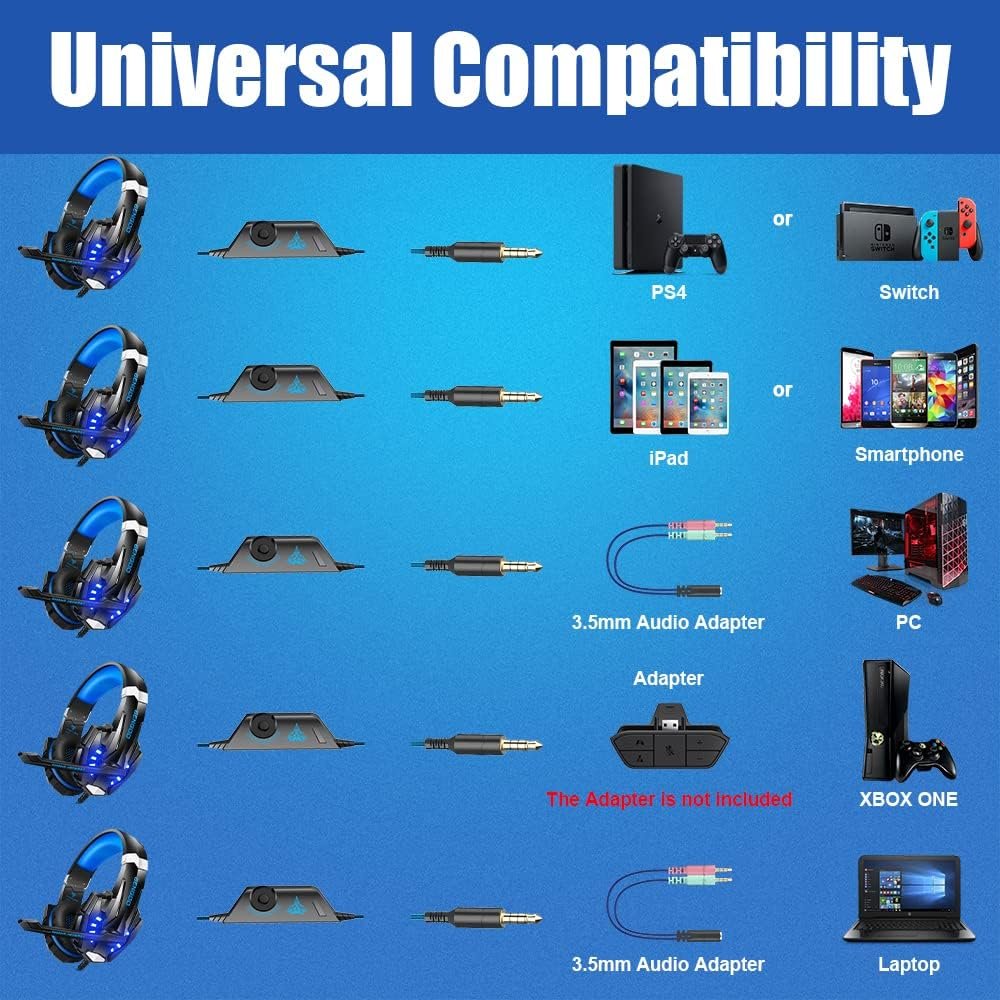
The same image depicts a USB connector for LED lighting. A USB-shaped plug in this bundle should not be mistaken for a USB audio connection. If the lights matter to your setup, confirm you have an available powered USB port within cable reach. If you only care about audio, verify whether the headset works normally with the USB plug disconnected.
What the sound claims do and do not tell you
The seller graphic for the BENGOO G9000 calls out 40 mm neodymium drivers and describes stereo or surround effects. Driver diameter is a physical specification, not a shortcut to judging bass, clarity or directional accuracy. Likewise, a surround label does not prove discrete multichannel audio in every game and on every platform.
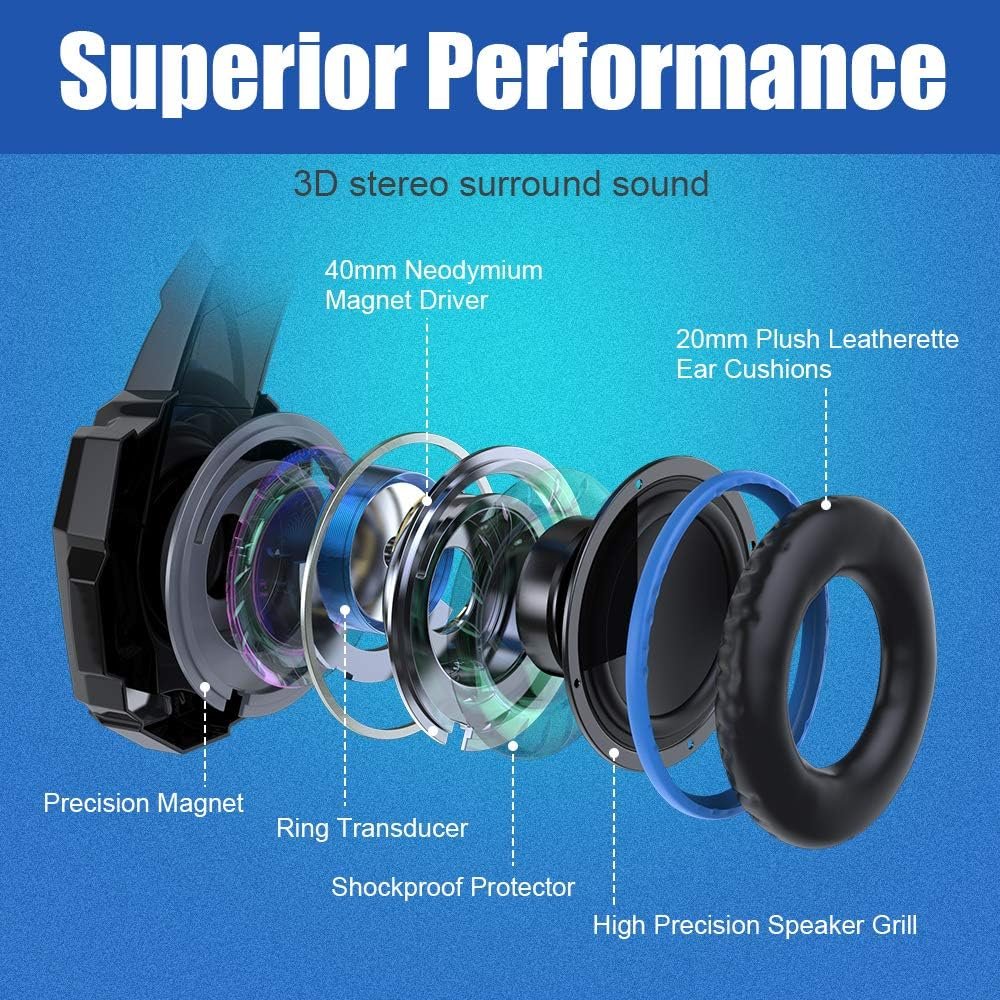
For a practical decision, compare the connection and return policy first. If positional cues are important to you, look for independent listening tests made with the same headset and platform. The uploaded image is useful for understanding the maker’s claims, but it is not evidence of measured sound performance.
Microphone and chat controls
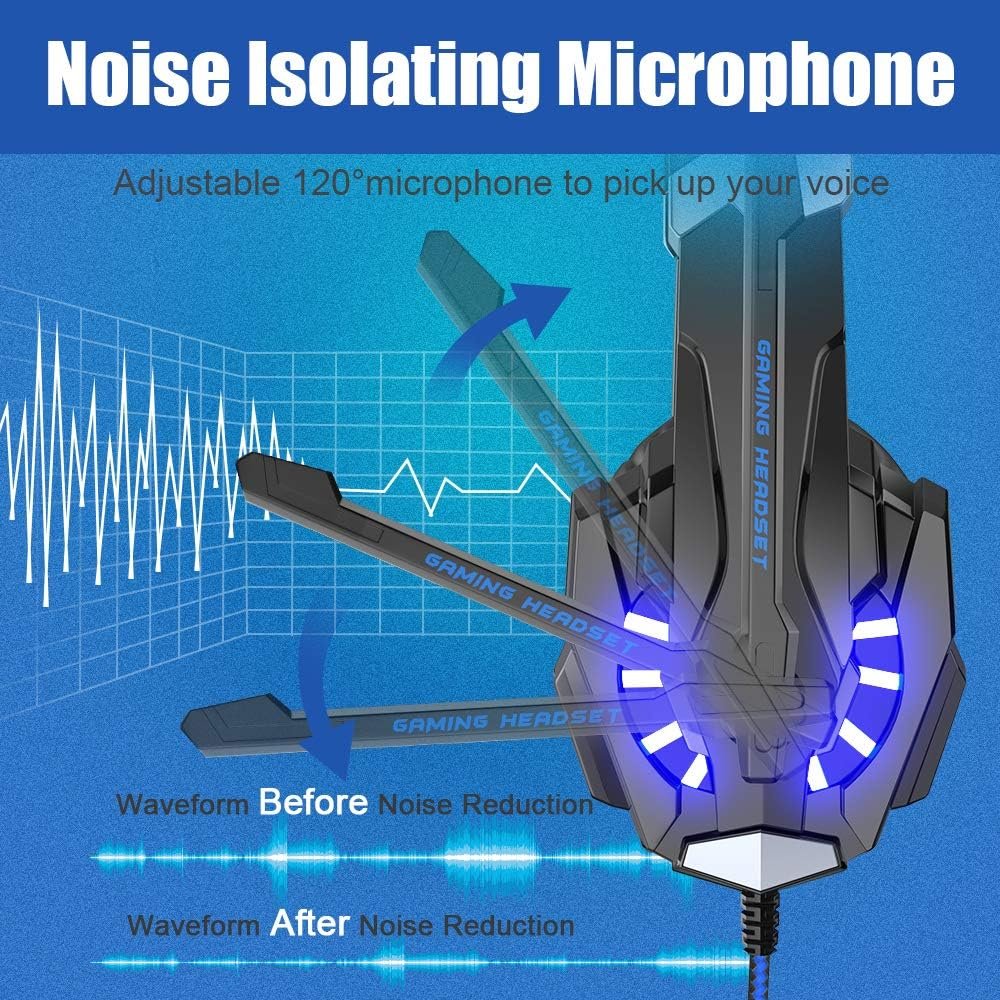
The BENGOO G9000 promotional microphone image shows a boom that can be repositioned toward the mouth. That can help with placement, but it does not demonstrate how clearly teammates will hear you or how much background noise the mic removes. The terms “noise isolating” and “noise cancelling” in marketing material should not be read as laboratory results.
A separate image shows an inline volume wheel and one-key mute control. Check whether the mute function affects the microphone rather than system audio on your platform. A quick chat test after delivery is more informative than a diagram: use your normal game or calling app and listen back to a recording if possible.
Padding, fit and longer sessions
The photos show padded earmuffs and an adjustable headband. Those are helpful things to look for, but a picture cannot establish clamp force, heat buildup or comfort after hours of play. The listing gives a weight of about 9.6 ounces; verify that figure against the current variant rather than treating it as a measured result from this guide.
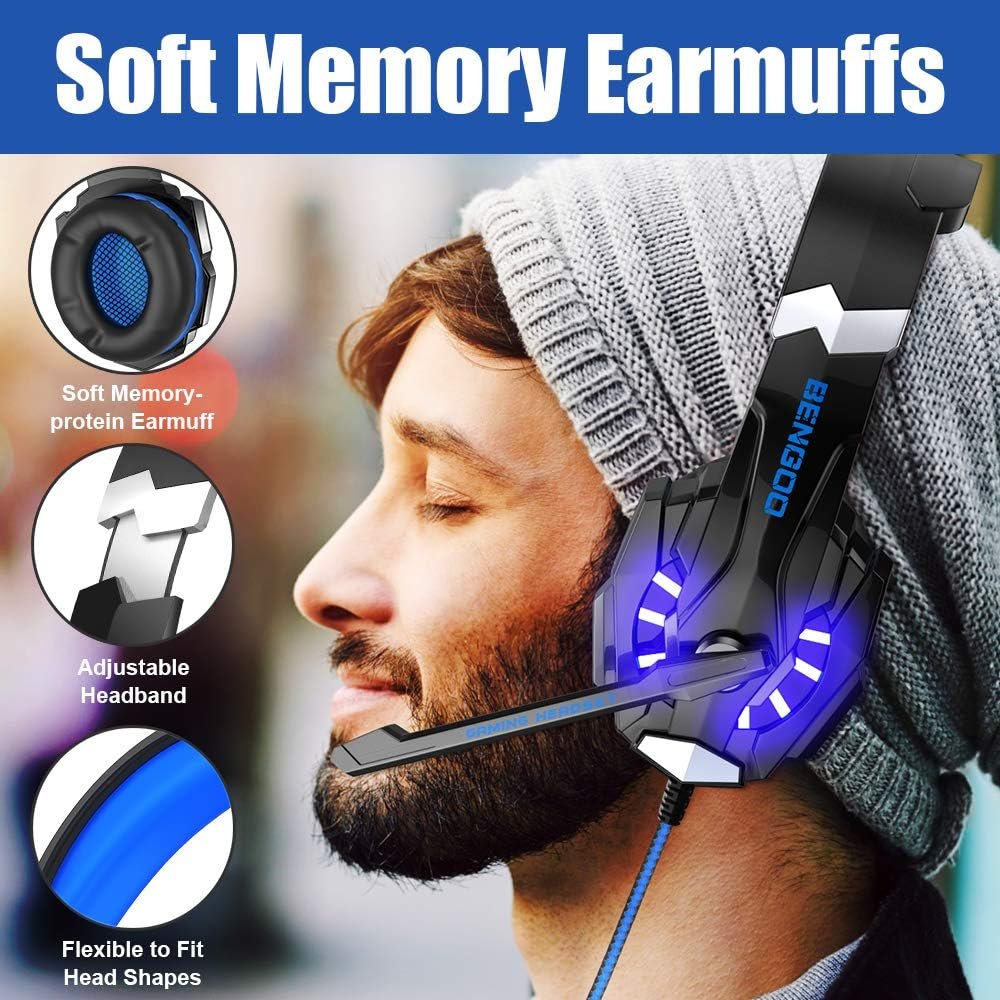
If you wear glasses or play for long sessions, check the earcup opening and return window. Even a headset that appears soft can press differently on different head shapes. The BENGOO G9000 may suit your fit preferences, but the only reliable answer is to try it.
BENGOO G9000 specifications
The details below come from the supplied listing and seller images. They describe the advertised model, not independent test findings.
- Brand and model: BENGOO G9000.
- Headset type: wired, over-ear.
- Audio connection: 3.5 mm plug.
- Lighting: separate USB plug shown for LED effects.
- Driver size: 40 mm, according to the seller image.
- Microphone: adjustable boom, according to the seller image.
- Controls: inline volume wheel and microphone mute, according to the seller image.
- Listed weight: 9.6 ounces; confirm the current variant.
Five checks before buying
- Does your device have a compatible 3.5 mm headset jack for both audio and microphone input?
- Will your PC need a headset splitter, and is one actually included in the current package?
- Do you need the LED lighting, and is there a USB port close enough for the extra plug?
- Does the exact platform or controller revision need an adapter that is not included?
- Is the seller’s return policy acceptable if microphone quality or physical fit disappoints?
If you want a different wired option, compare our Turtle Beach Recon 50 guide and Razer BlackShark V2 X guide. You can also browse the headset collection. Product details and availability can change; review the current Amazon listing before purchase.