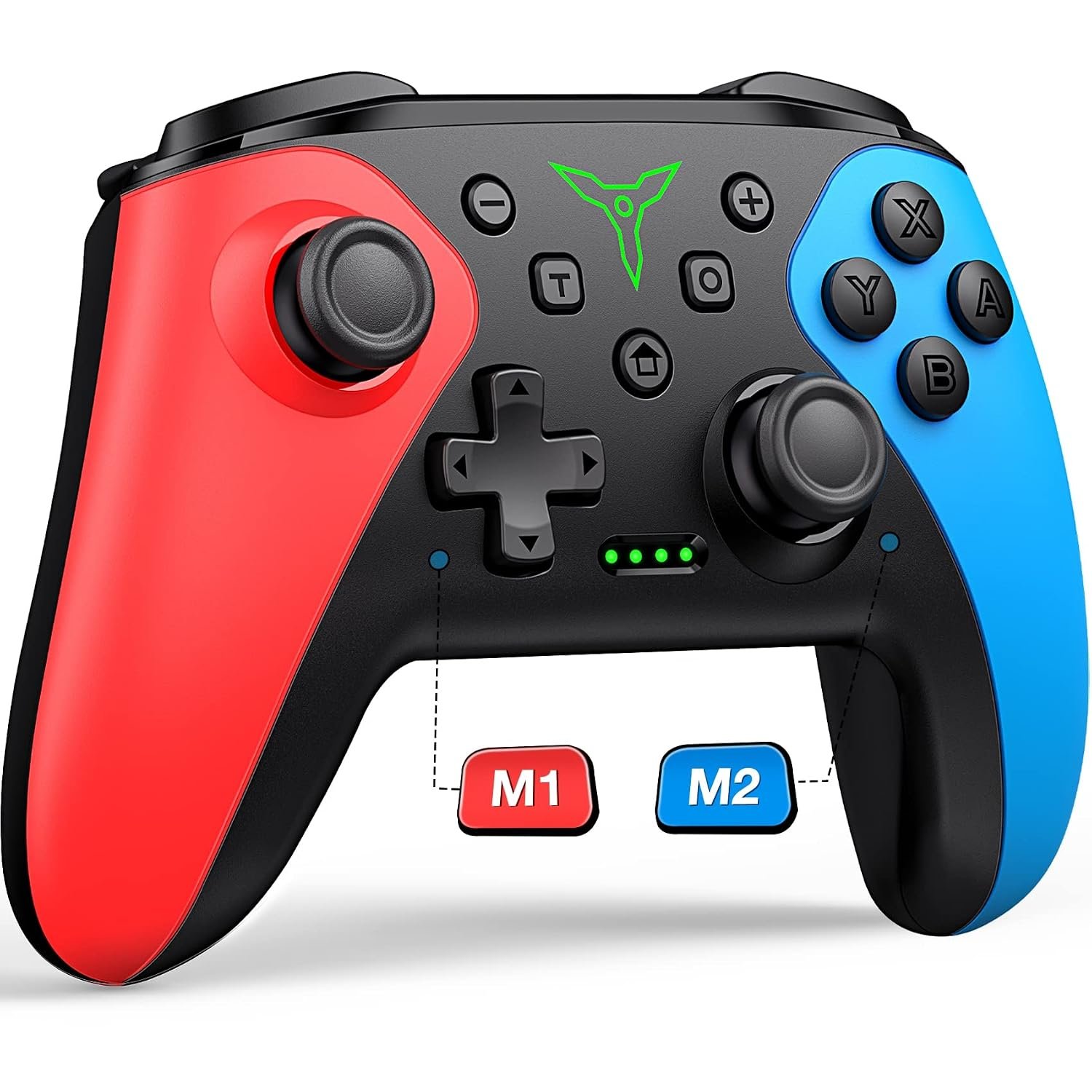
The ELISWEEN wireless Switch controller is a red-and-blue third-party gamepad with two rear buttons, turbo controls, and manufacturer-advertised motion and vibration features. The product photos show model X107 on the back. If you want extra controls without replacing the familiar Switch button layout, this guide explains what appears in the listing and what still needs checking.
On this page
Quick verdict
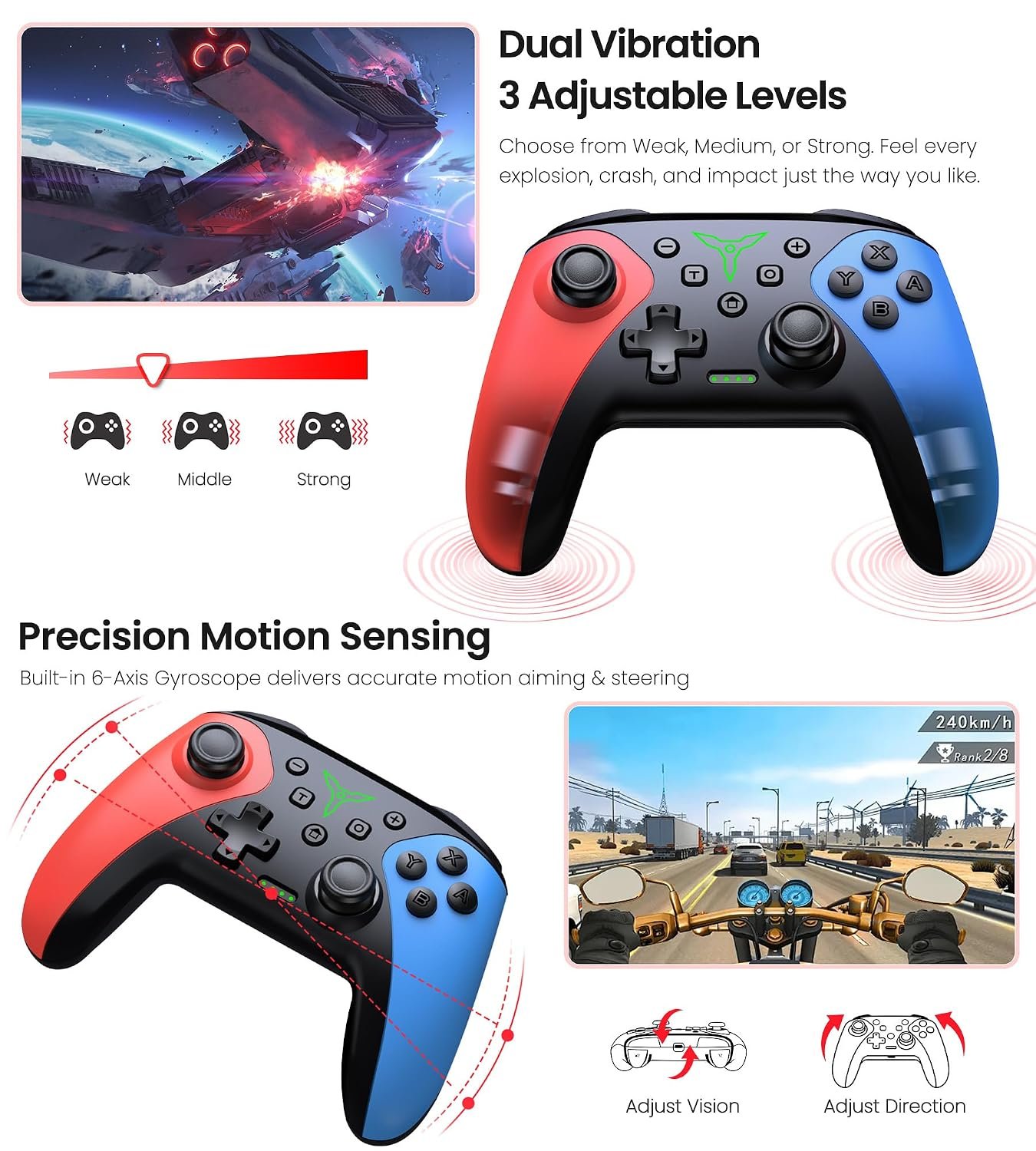
The ELISWEEN wireless Switch controller makes sense for a player who wants a full-size pad with rear buttons and a familiar Switch-style layout. The M1 and M2 controls are visible in the supplied images, and the listing graphics advertise turbo, motion control and adjustable vibration. Those are useful options to investigate, not independently verified performance results.
What stands out
- Two programmable rear buttons shown on the controller’s back.
- Product graphics describe auto and manual turbo modes.
- The red-and-blue shell is easy to distinguish from a standard black pad.
Main caveats
- Confirm support for the exact Switch generation and game you own.
- Treat battery-life, comfort and performance language in marketing images as claims, not test results.
- If you need official Nintendo features or a guaranteed connection method, verify them before ordering.
ELISWEEN controller at a glance
| Detail | Current evidence |
|---|---|
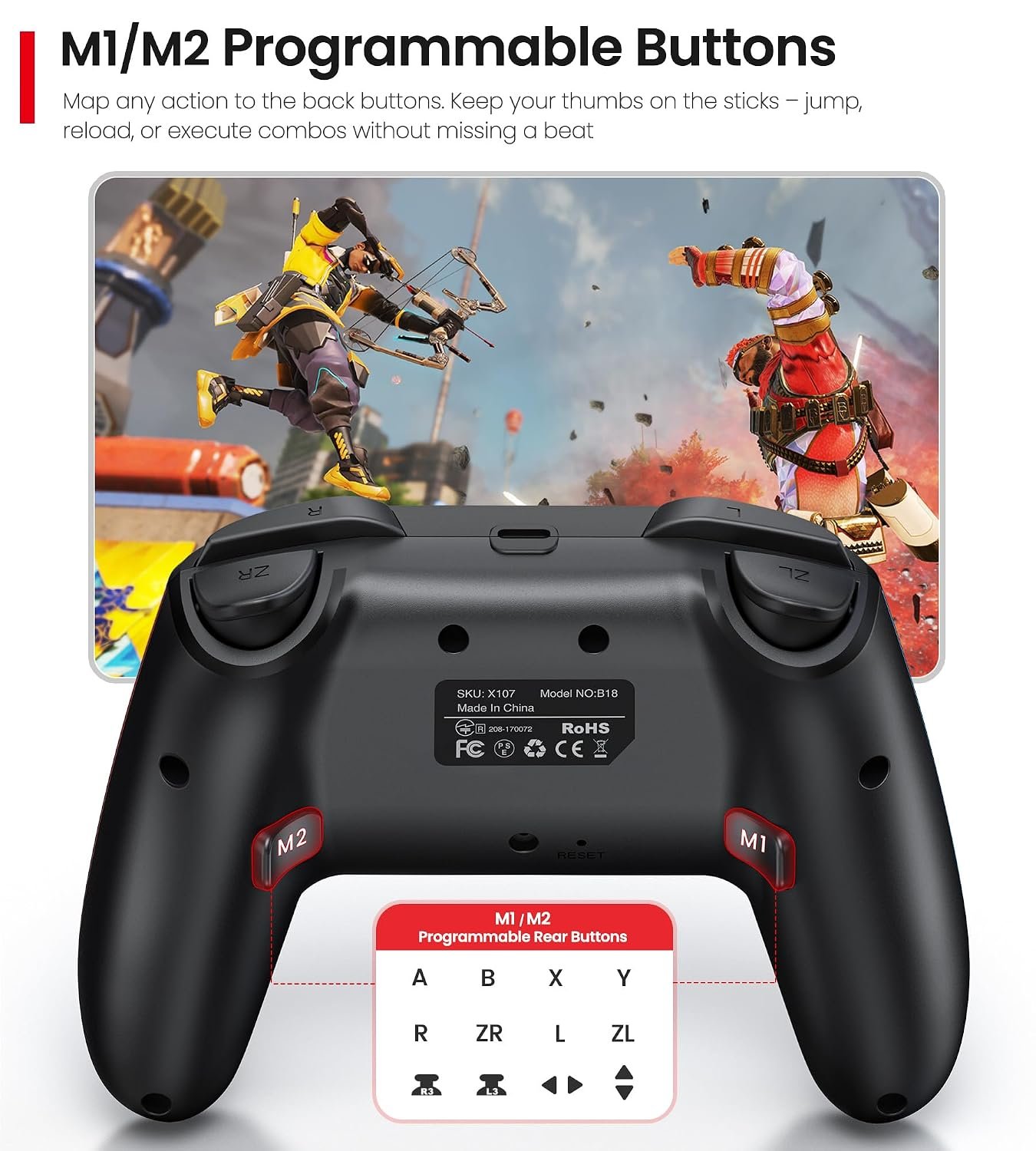
| Model marking | X107 appears on the photographed label. |
| Connection | Wireless; confirm pairing steps for your console. |
| Rear controls | M1 and M2 programmable buttons are visible. |
| Other controls | Seller graphics advertise turbo, rumble and motion features. |
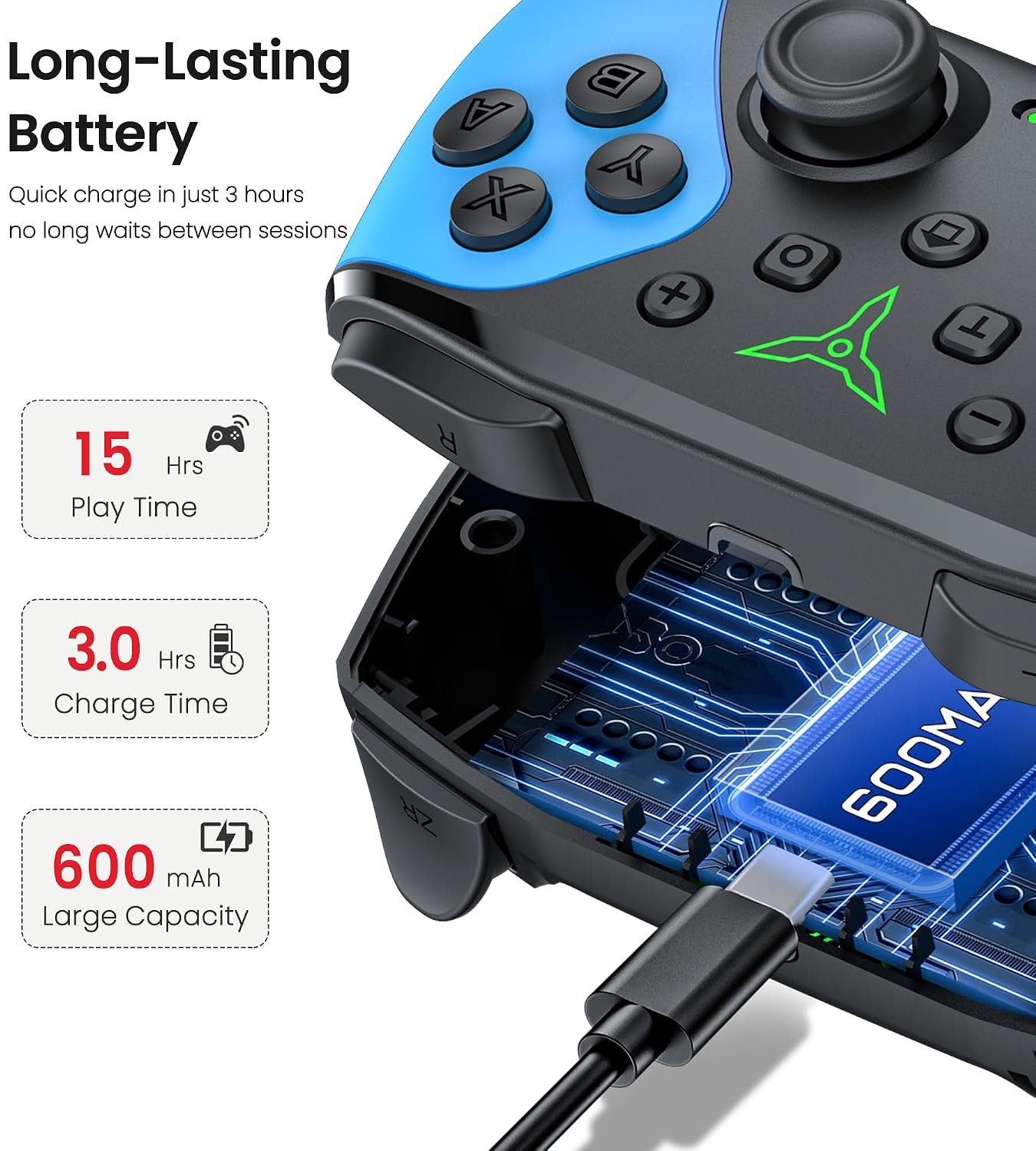
| Battery | Seller graphic claims 600 mAh and up to 15 hours; not independently verified. |
Compatibility: check your Switch model
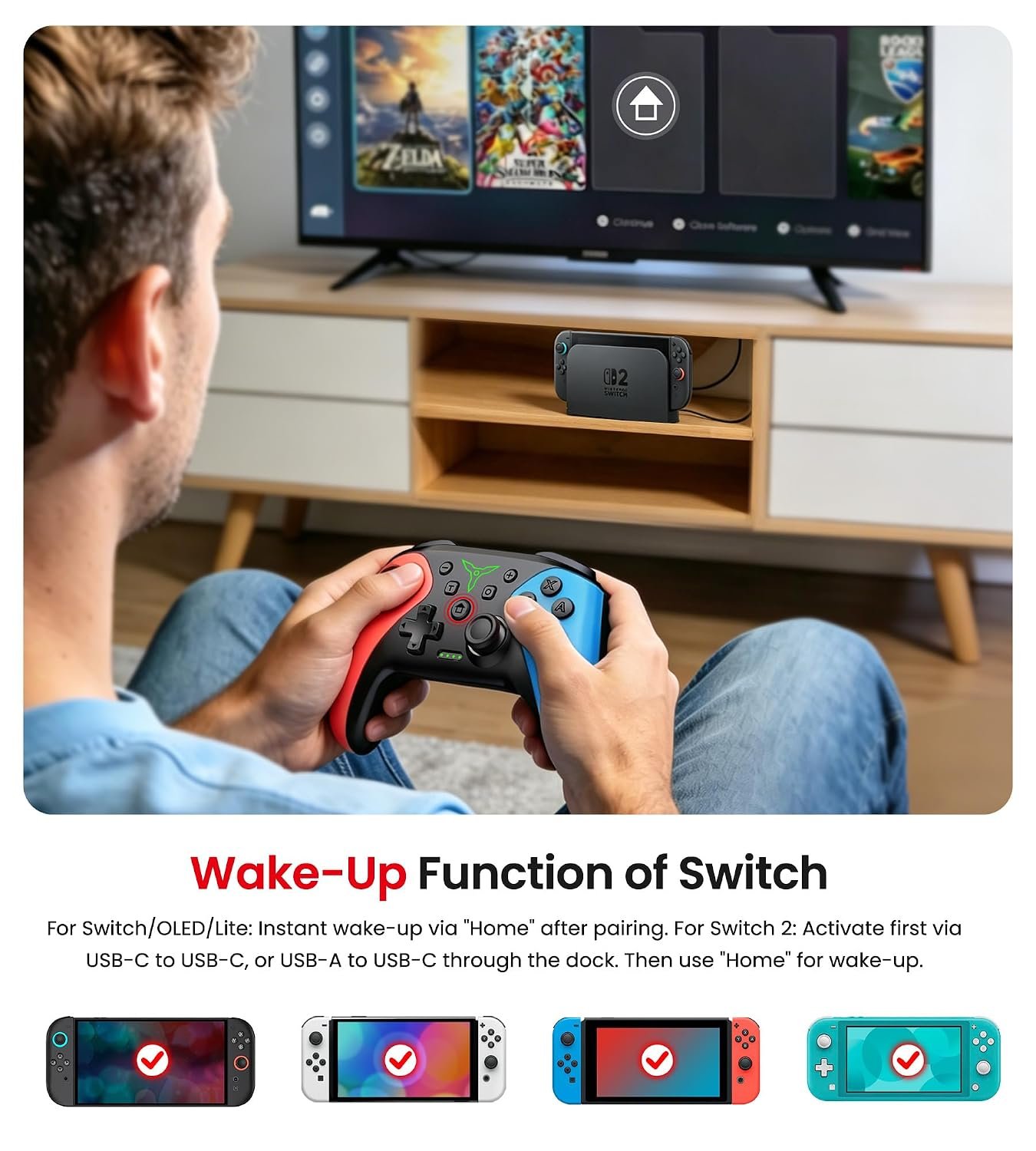
The supplied images market the ELISWEEN wireless Switch controller for Nintendo Switch, Switch OLED and Switch Lite; one graphic also mentions Switch 2. That does not by itself establish that every feature works on every version. Nintendo’s Switch 2 compatibility guide describes listed Nintendo accessories, not this third-party model. Check the current Amazon listing and pairing instructions for your exact console, especially if you own a Switch 2. Firmware, first-time wired activation, wake-up behavior and game-specific support can differ across third-party controllers.
A separate product graphic describes wake-up behavior after pairing and mentions a wired activation step for Switch 2. Read those instructions before buying rather than assuming instant wireless setup on every system. The original draft also contained a conflicting Wii/Wii U platform entry, so this guide does not claim Wii or Wii U compatibility.
Rear buttons and turbo
On the ELISWEEN wireless Switch controller, the rear view clearly shows two controls marked M1 and M2. Their placement may be useful if you want a secondary input without moving a thumb away from a stick, but the actual mapping options depend on the controller’s setup instructions and the game. The photo demonstrates that the buttons exist; it does not prove that every command or macro shown in advertising is supported.
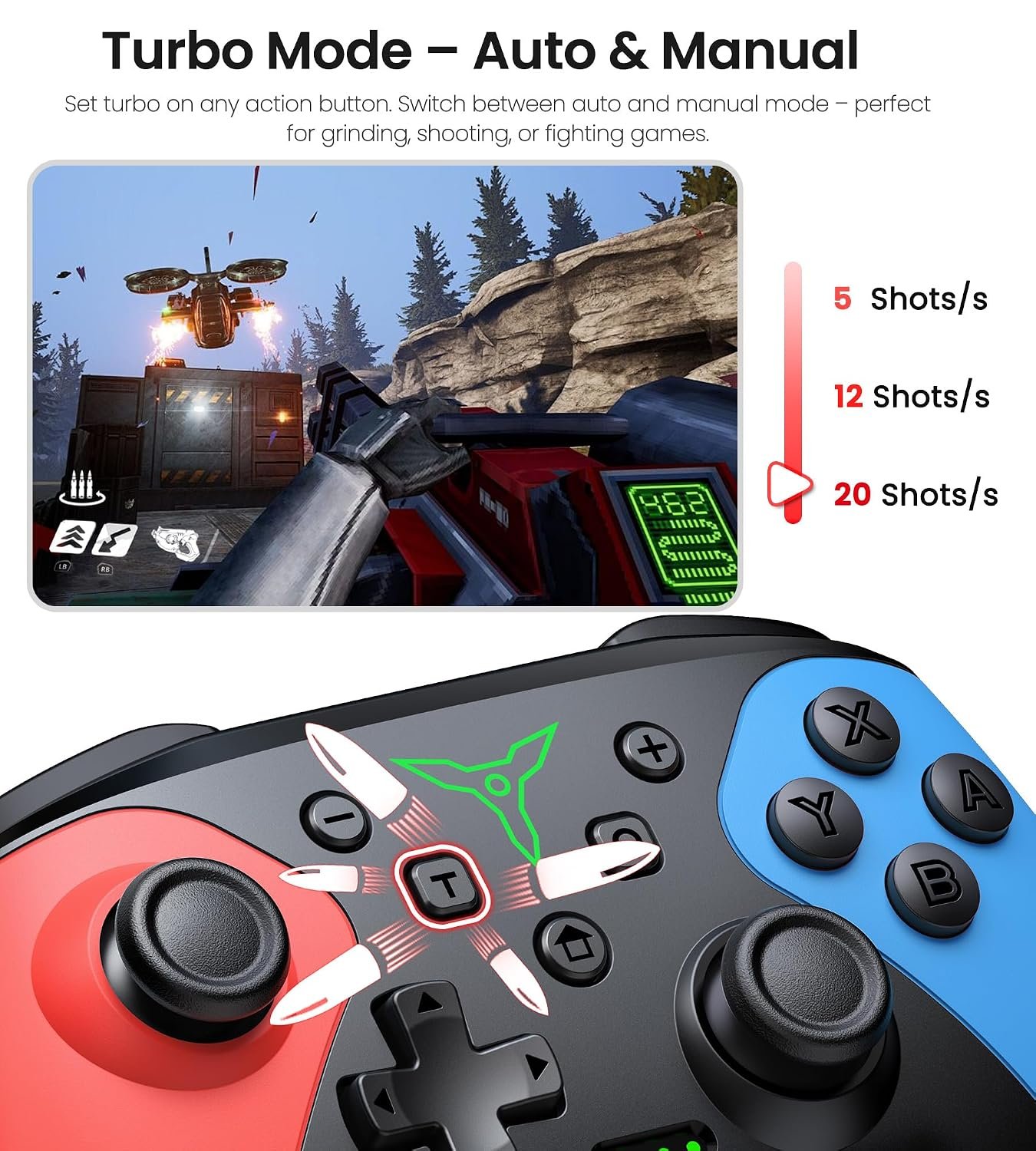
The seller also advertises manual and automatic turbo modes. Turbo is a convenience feature only where a game allows it, and it may be unsuitable for competitive or online play. Verify how to enable, disable and remap it so an accidental setting does not interfere with normal inputs.
Motion, rumble and battery
The listing images promote motion control and adjustable dual vibration. These features could matter for games that use steering, aiming or haptic feedback, but no measured precision or vibration strength is available here. Consider them advertised features and check whether your favorite games support them on third-party pads.
For the ELISWEEN wireless Switch controller, another graphic claims a 600 mAh battery and up to 15 hours of use. Actual battery life can vary with rumble, game, connection and battery age. We have not measured runtime, charging time or wireless latency, so treat the quoted figure as a listing claim rather than a promise. Check the current listing for the charging connector and what cable is included.
What the images tell us
The front photo shows offset thumbsticks, a D-pad, four face buttons and a central cluster. The back photos show a contoured grip, shoulder controls and the X107 model label. Those are visual observations only. Product photos cannot establish long-term durability, stick drift resistance, grip comfort or latency. If those factors decide the purchase, look for independent testing or a clear return policy.
The ELISWEEN wireless Switch controller’s colored shell may suit a Switch-themed setup, while its full-size form may be more appealing than compact Joy-Con-style controls. Comfort is personal, though. Check dimensions and weight on the live listing if hand size or travel storage matters to you.
Who should consider it?
- You want a wireless, full-size Switch-style controller with visible rear buttons.
- You are willing to check pairing and feature support for your particular Switch model.
- You value customizable input options more than an official first-party badge.
If you primarily need guaranteed compatibility, measured low latency or a verified battery figure, this listing alone is not enough evidence. Compare the current specification sheet and return terms with other controller buying guides before deciding.
Before you buy
- Confirm the exact brand, X107 model and color variant on the Amazon offer.
- Check support for your Switch, Switch OLED, Switch Lite or Switch 2 and any required pairing step.
- Review the current charging connector, included cable and seller warranty.
- Verify rear-button mapping, turbo and motion support for the games you play.
- Compare the current price and return policy; neither is fixed in this article.
Source: Amazon product listing for B094VK65VP and the product images uploaded to SetupForge. We have not conducted hands-on testing.